




Special sale!


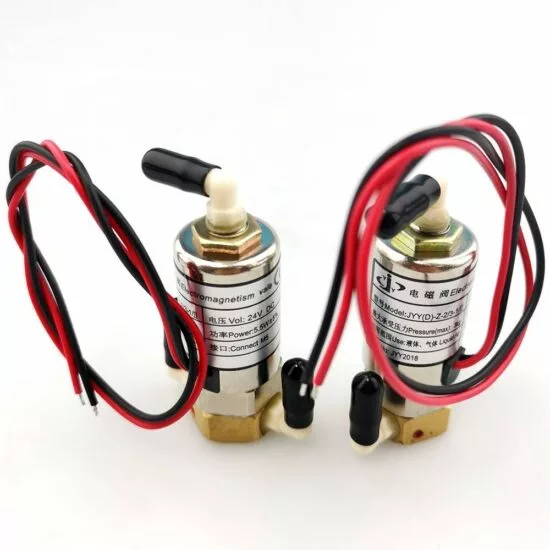

Air solenoid (solenoid valve)
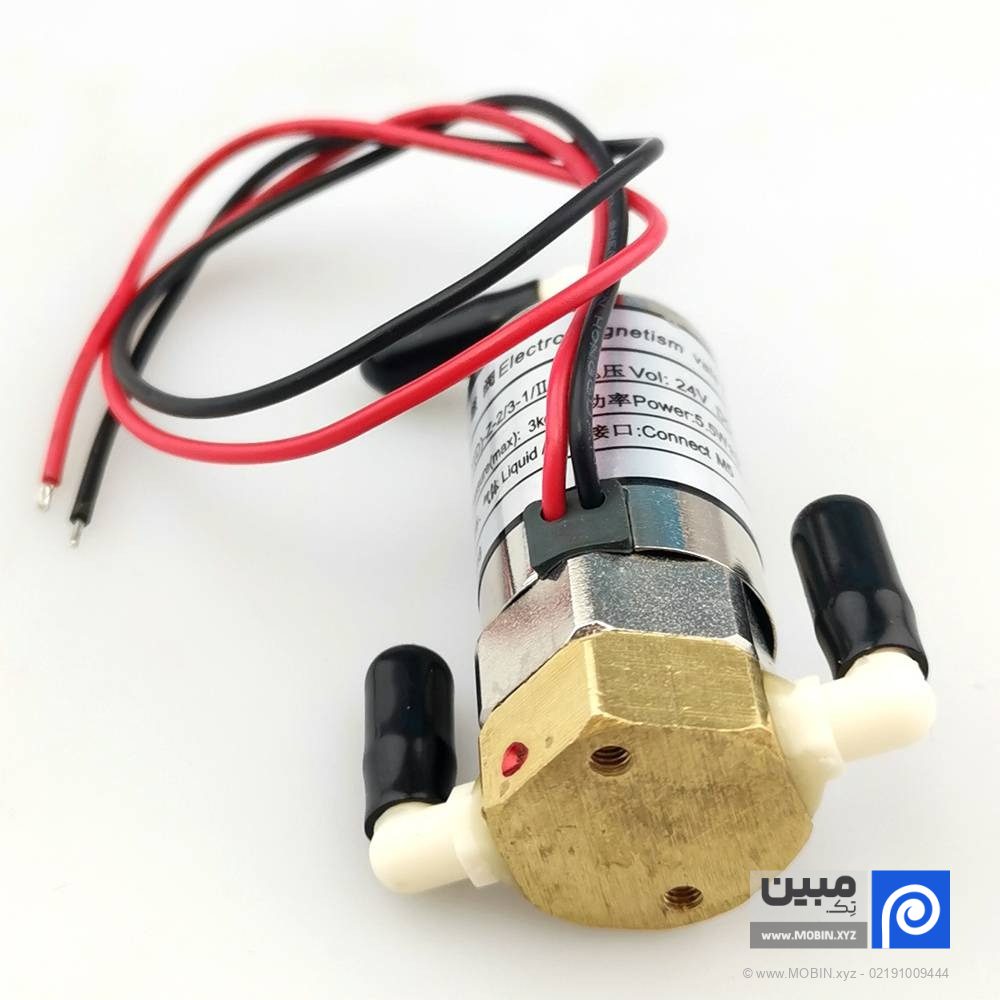
In a banner printing machine, there is a component called an air solenoid, or solenoid valve, whose job is to control the flow of air in systems that operate on air pressure. This component is usually installed after the air pump and its job is to maintain air pressure in the ink subtank, meaning it prevents air from flowing back or emptying.
The minimum quantity for bulk orders is 8 pieces.
Related products


Special sale!


Description
📅 بهروزرسانی محتوا در: ۱۴۰۵/۰۳/۱۸
You Banner printing machineThere is a component called an air solenoid, or solenoid valve, that controls the flow of air in systems that operate on air pressure. This component is usually installed after the air pump and its job is to maintain air pressure in the ink subtank, meaning it prevents the air from flowing back or emptying. If a problem occurs and there is excess paint in the system, air will enter the solenoid through this path and be expelled from above.
Now in English sources, this solenoid valve is known as a solenoid valve, which is a very important part in modern printing machines. They are used to precisely control fluids such as air or hydraulic fluids in the printing process. These parts play a role in activating print heads, paper feeding mechanisms, and other important parts of the machine, making printing machines both more accurate and faster to respond.
An overview of the role of the air solenoid (solenoid valve) in a banner printing machine
Air solenoids (solenoid valves) in a banner printing machine play a vital role in managing the ink flow. These air solenoids (solenoid valves) ensure that ink is delivered to the print head in a controlled manner, preventing leakage, maintaining pressure, and ensuring consistent print quality.
Types of air solenoids (solenoid valves)
- Solenoid air magnet: These air magnets are electrically controlled and open and close in response to signals from the banner printing machine's control system.
- One-way air solenoid (check valve)These air magnets allow ink to flow in only one direction and prevent reverse flow.
- Pressure relief air magnet: These air magnets help maintain proper pressure in the ink delivery system.
- Air magnet: These air magnets remove air bubbles from the ink lines and make the ink flow smooth and uniform.
How different types of air solenoids (solenoid valves) work in banner printing machines
- Ink deliveryAir solenoids control the flow of ink from cartridges or bulk ink systems to the printhead. They open when needed and close when not needed.
- Pressure adjustmentAir magnets help maintain uniform pressure in the ink delivery system, which is critical for high print quality.
- Prevent pollutionAir check magnets prevent ink from returning, which can cause contamination and clogging of the print head.
- Air managementAir magnets: Remove air bubbles that can disrupt ink flow and affect print quality.
Repair and replacement
- Problem diagnosis: Common symptoms of air magnet problems include inconsistent print quality, ink leakage, and error messages related to ink flow. Diagnosing the problem involves examining these symptoms and using the banner printer's diagnostic tools to pinpoint the problem.
- Replacement:
- Preparation: Turn off and unplug the banner printer. Make sure the replacement air magnet is an exact match to the failed air magnet.
- Access to the air magnet: This usually involves opening the body of the banner printer. Refer to the banner printer service manual instructions.
- Remove the broken air magnet: Carefully disconnect the tubes and electrical connections connected to the air magnet. Unscrew the screws or clips holding the air magnet.
- Installing a new air magnet: Place the new air magnet in place, tighten the screws or clips, and reconnect the pipes and electrical connections.
- Test: After replacement, perform a test print to make sure the air magnet is working properly.
- Maintenance tips: Clean the ink delivery system regularly to prevent clogging. Use quality inks and follow the manufacturer's instructions for maintenance schedules.
Practical steps for replacing the air magnet
- Tools needed: Screwdriver, pliers, and maybe a multimeter for electrical checks.
- Safety measures: Wear gloves to prevent ink contamination. Make sure the banner printing machine is turned off and unplugged.
- Step-by-step guide:
- Access to the air magnet: Follow the service manual to find the air magnet inside the banner printing machine.
- Air magnet removal: First disconnect the ink tubes, then disconnect the electrical connections. Unscrew the retaining hardware.
- Installing a new air magnetInstall the new air magnet in reverse order, making sure all connections are tight.
- Test: Turn on the banner printing machine and perform a test or trial print to ensure the air magnet is functioning properly.
By understanding the role of the air magnet in a banner printing machine and following proper maintenance and replacement procedures, you can ensure that your banner printing machine runs smoothly and produces high-quality prints.
Additional information
| Model | Grade 1, Grade 2 |
|---|---|
| Order volume |
Reviews (2)

Get price list
Related products
Special sale!


Special sale!
