

در دنیای دیجیتال امروز، دسترسی به نرمافزارها و فایلهای تخصصی یکی از نیازهای اساسی برای بسیاری از صنایع است. برای بهینهسازی عملیات در زمینههای مختلف، از جمله لیزر و چاپ، استفاده از نرمافزارهای تخصصی میتواند تأثیر بسزایی در افزایش دقت، کارایی و کیفیت نهایی محصولات داشته باشد. این مقاله به بررسی و معرفی نرمافزارهای تخصصی در حوزههای لیزر و چاپ پرداخته و امکانات و ویژگیهای مهم آنها را بررسی میکند.
نرمافزار تخصصی لیزر
برای کسانی که با دستگاههای لیزر کار میکنند، نرمافزارهای تخصصی ابزاری ضروری برای مدیریت و بهینهسازی فرآیندهای برش و حکاکی هستند. در این بخش، به معرفی نرمافزارهای کلیدی در این حوزه پرداخته خواهد شد:
- نرمافزار دیپنست (Deepnest 1.0.5): این نرمافزار به طور ویژه برای بهینهسازی و چینش برشهای لیزری طراحی شده است. با استفاده از الگوریتمهای پیشرفته، Deepnest به کاهش ضایعات و بهینهسازی استفاده از مواد کمک میکند. کاربران میتوانند این نرمافزار را برای پردازش فایلهای طراحی خود دانلود کنند و از امکانات آن بهرهبرداری کنند.
- نرمافزار فتوگریو (PhotoGrav 3): این نرمافزار برای تبدیل تصاویر به فرمتهای مناسب برای برش و حکاکی لیزری طراحی شده است. PhotoGrav 3 امکانات متعددی برای تبدیل تصاویر رنگی به طرحهای لیزری فراهم میآورد. دانلود و استفاده از این نرمافزار به کاربران کمک میکند تا کیفیت بهتری در تولید تصاویر لیزری به دست آورند.
نرمافزار تخصصی چاپ
برای مدیریت و بهینهسازی عملیات چاپ، نرمافزارهای تخصصی میتوانند به طور قابل توجهی بر کیفیت و دقت چاپ تأثیر بگذارند. در این بخش، نرمافزارهای کلیدی برای چاپ معرفی خواهند شد:
- نرمافزار اولترا پرینت با دانگل: این نرمافزار برای مدیریت و بهینهسازی عملیات چاپ طراحی شده است و با ارائه امکانات گسترده، به کاربران این امکان را میدهد که فرآیند چاپ را به دقت کنترل کنند. دانلود این نرمافزار به همراه دانگل امنیتی، از دسترسی غیرمجاز جلوگیری کرده و امنیت استفاده را تضمین میکند.
- نرمافزار دستگاه چاپ بنر کونیکا 512 با برد UMC: این نرمافزار به طور خاص برای دستگاههای چاپ بنر کونیکا 512 طراحی شده است و از برد UMC استفاده میکند. دانلود این نرمافزار به کاربران کمک میکند تا کیفیت چاپ بنرها را به حداکثر برسانند و از عملکرد بهینه دستگاه اطمینان حاصل کنند.
- نرمافزار فتو پرینت با دانگل: نرمافزار فتو پرینت برای تبدیل تصاویر به چاپهای با کیفیت بالا طراحی شده است. با استفاده از این نرمافزار و دانگل امنیتی، کاربران میتوانند تصاویر خود را با دقت بالا به چاپ رسانده و از امنیت نرمافزار خود اطمینان حاصل کنند.
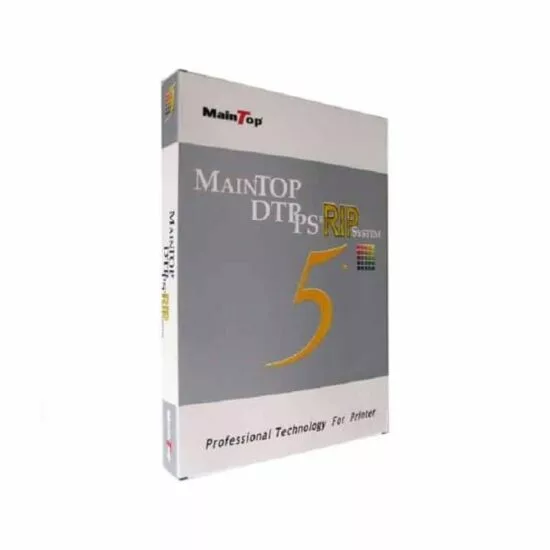
- نرمافزار مین تاپ با دانگل: نرمافزار مین تاپ ابزارهایی قدرتمند برای مدیریت فرآیند چاپ ارائه میدهد. دانلود این نرمافزار به همراه دانگل امنیتی، از دسترسی غیرمجاز جلوگیری کرده و به بهبود کیفیت چاپ کمک میکند.
نتیجهگیری
دستگاههای لیزر و چاپ با بهرهگیری از نرمافزارهای تخصصی، قابلیتهای بسیاری را در بهینهسازی و بهبود فرآیندهای تولید ارائه میدهند. با دانلود و استفاده از نرمافزارهای تخصصی لیزر و چاپ، میتوانید از امکانات و ابزارهای پیشرفته برای بهبود کیفیت و کارایی محصولات خود بهرهبرداری کنید. انتخاب و استفاده صحیح از این نرمافزارها، به افزایش دقت و کاهش مشکلات در فرآیندهای تولید کمک کرده و نتایج بهتری را به ارمغان میآورد.