




Special sale!
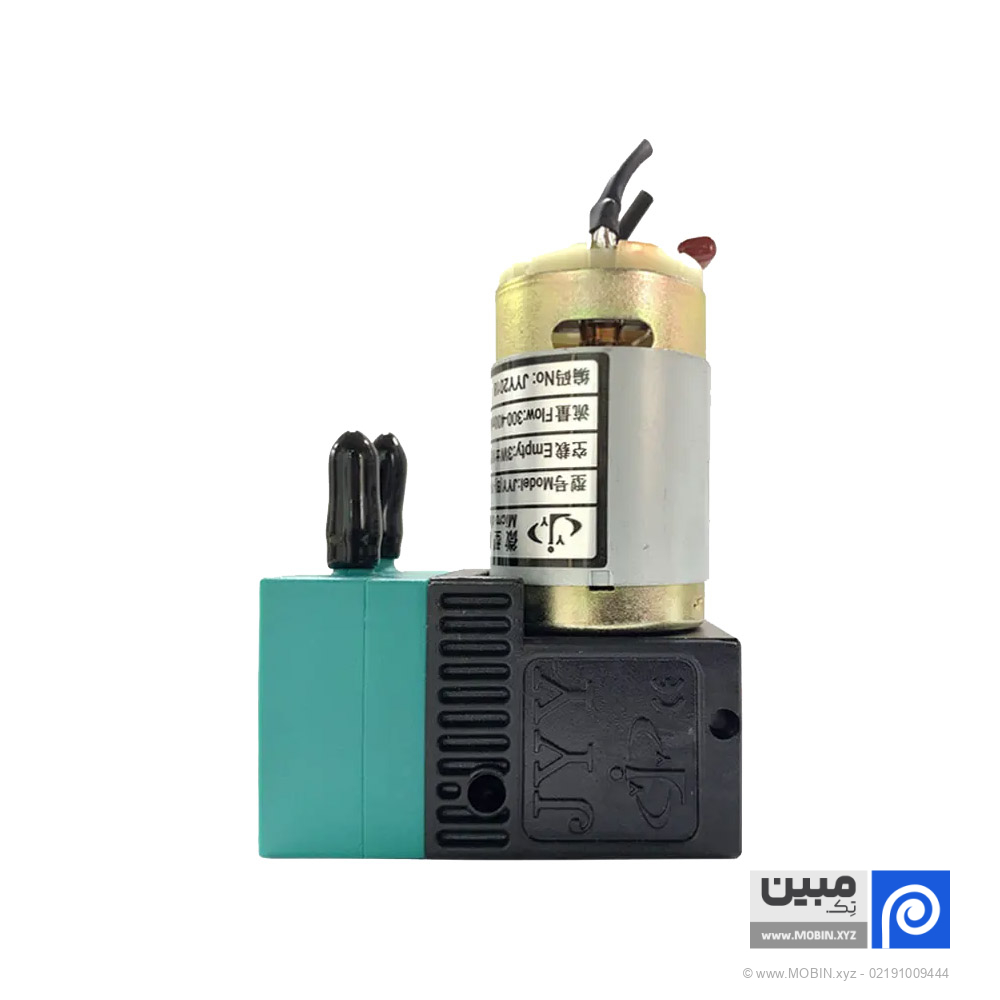
Ink pump (ink)
In a banner printing machine, there is a part called an ink pump that delivers the ink from the reservoir to the printing area. Think of it like the heart in our body that delivers blood everywhere, this pump also delivers the ink to the necessary places.
The minimum quantity for bulk orders is 10 pieces.
Related products


Special sale!
Special sale!


Description
📅 Content updated on: 18/03/1405
You Banner printing machineThere is a part called the ink pump that is responsible for delivering the ink from the reservoir to the printing area. Think of it like the heart in our body that delivers blood everywhere, this pump also delivers the ink to the necessary places.
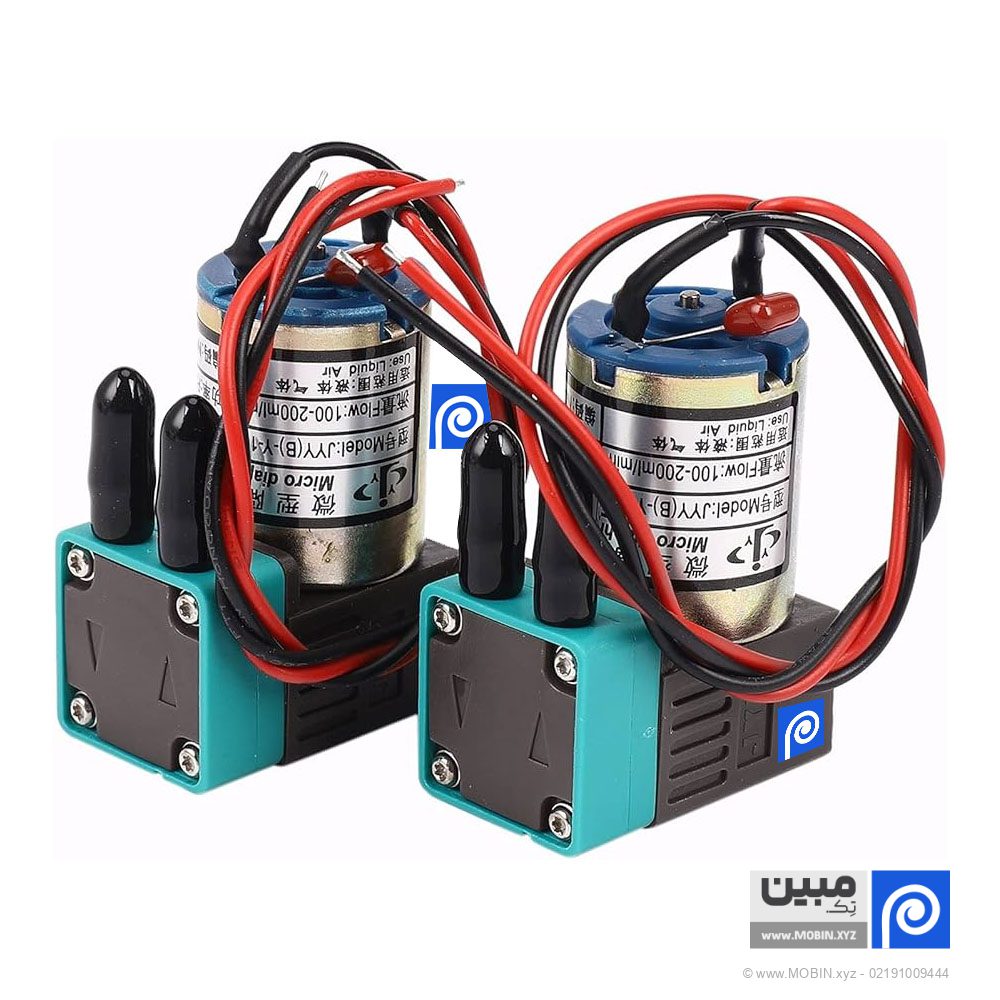
In banner printing machines, we usually have four ink pumps, one for each color, and another pump for air. These pumps come in two types, a small one for cleaning and sucking the ink, and a larger one that draws the ink from the gallon to where it needs to go.
Now, if we look at international sources, we see that ink pumps are also used in various printing machines such as flexography, gravure, and offset printing. These can have different forms, such as centrifugal or peristaltic, all of which are designed to deliver ink uniformly and without interruption.
What is an ink pump? Is the ink pump of a banner machine different from the ink pump of an ecosolvent machine? How much does an ink pump cost? What are the types of ink pumps? What is the difference between a large ink pump and a small ink pump? Is an ink pump different from an ink pump? How to buy an ink pump or ink? Continue reading this article with us:
Banner printing machines, such as those used for billboards, posters, and large-format prints, often use special ink pumps to manage the flow of ink from the paint can to the sub tank. Among these, ink pumps are a critical component.
What is a compound pump?
An ink pump is a type of pump used to manage and control the flow of ink in a banner printing machine. These pumps are designed to meet the high volume and continuous flow requirements of large printers. They ensure that the ink is delivered to the sub tank at the correct pressure and consistency, which is essential to maintain print quality and prevent clogging or interruptions.
Symptoms of a failed compound pump
- Irregular ink flow: If the ink flow becomes irregular, it can result in lines or blank spots in the prints.
- Noisy performanceUnusual noises from the pump, such as a whirring or vibrating sound, indicate mechanical problems.
- Ink leak: Visible ink leakage around the pump area indicates that seals or components may be damaged.
- Error messagesPrinter error messages related to ink delivery or pump operation can indicate a problem.
- Print quality problemsA sudden drop in print quality, such as faded prints or inconsistent colors, may indicate pump problems.
Replacing the compound pump
- Problem diagnosis: Through troubleshooting and diagnosis, ensure that the source pump is the problem.
- Turning off the printer: Before starting any maintenance work, turn off and unplug the printer.
- Access to the pump: Open the printer door to access the ink pump. This usually requires removing panels or covers.
- Disconnect the pump: Carefully disconnect the ink lines and electrical connections from the faulty pump.
- Installing a new pump: Put the new pump in place and reconnect the ink lines and electrical connections.
- Performance testAfter reassembly, turn on the printer and do a test print to ensure the new pump is working properly.
- Calibration: Some printers may require recalibration of the ink system after replacing the pump.
Maintenance tips
- Regular cleaning: Keep the pump and surrounding areas clean to prevent clogging and buildup.
- Use recommended inks: Always use inks recommended by the printer manufacturer to ensure compatibility and reduce pump wear.
- Periodic inspections: Check the pump and ink delivery system regularly for signs of wear or damage.
By understanding the role of ink pumps in large format printers and knowing how to troubleshoot potential problems, you can maintain the efficiency and quality of your printing operations.
Additional information
| Model | Big, small |
|---|---|
| Order volume |
Reviews (1)

Get price list
Related products

Special sale!