



Non-metal laser machine software – RDcam – RDworks
Software RDWorks Or RDCam One of the famous programs for controlling Non-metal CO2 laser cutting and engraving machines which is by the company Ruida Developed. This software allows users to easily Laser machine Control and prepare various designs for cutting or engraving.
You can download the software, drivers, and help files for free.
Related products

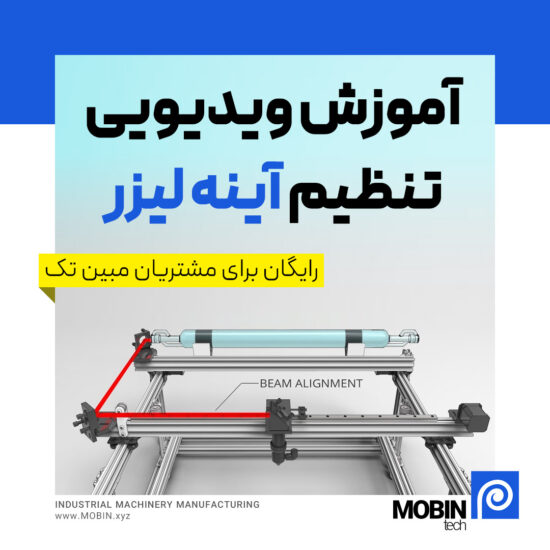
Free

Description
📅 Content updated on: 12/05/2021
rdwork software
Software RDWorks It is one of the powerful and practical tools for controlling and managing laser devices. This software, with its extensive features, allows users to design, edit and execute laser projects in the easiest way possible. Among the outstanding features of RDWorks are support for various file formats (such as DXF, BMP and AI), advanced design tools, precise settings of laser parameters (power, speed, frequency) and a simple and intuitive user interface. This software is very suitable for CO2 and fiber laser devices and allows users to create cutting projects with high precision and Laser engraving If you are looking for a professional and reliable software for your laser machine, RDWorks It is an ideal option. Download it now and enjoy its unique features.

Features
- Supports various file formats
RDWorks can open various graphic files such as DXF, AI, PLT, BMP, and JPG This will allow you to use popular design software such as CorelDRAW, Illustrator Or AutoCAD Use it and easily import your designs into RDCam. - Design and edit directly within the software
If you don't want to use other software, RDWorks itself has simple drawing tools like lines, circles, rectangles, and text that you can draw within the software itself. Tools like Editing nodes There are also those who can help with more precise editing. - Layers settings
One of the great features of RDWorks is that you can set different settings for each layer, such as: Laser power and Cutting speed For example, you can have a layer for cutting and a layer for engraving, and run each with different parameters. - Advanced laser settings
The software allows you to make precise settings such as Laser power, Number of passes (How many times the laser passes over the design), Laser movement speed, and even define the type of engraving (for example, raster or vector engraving). - Simultaneous engraving and cutting capability
With RDCam, you can engrave and cut simultaneously. For example, engrave the design first and then execute the cutting lines. - Job Preview (Simulation)
RDWorks has a simulation feature that allows you to see the laser path and make sure it is correct before the final execution. This helps to avoid potential mistakes. - Direct device control
This software can connect directly to the laser device and you can control the device through it. You can also save files on the laser device. Upload and execute the plan without the need for constant connection. - Nesting capability
Nesting is one of the interesting features of RDWorks that is used to optimize the placement of cutting parts on the material. This reduces material waste and saves time. - X and Y axis speed management
In this software, you can adjust the speed of the X and Y axes separately to increase the accuracy of the work. This is mostly useful for designs that require very precise details. - Compatibility with Ruida laser devices
This software is specifically designed for devices that use Ruida controllers This means it has the most compatibility and best performance with these types of devices.

Important points
- RDWorks is more expensive than other software such as LightBurn It has more free features, but some users say its interface is too User Friendly It's not and it may take some time to get used to it.
- This software is more suitable for simple and semi-professional tasks. If you need more complex features, you may want to consider other software such as LightBurn Do better.
Overall, RDWorks is a powerful and affordable software for controlling non-metallic laser devices, and with a little practice, you can easily take advantage of its features.
Download rdworks
If you are looking for Download RDWorks software If you are, this page is the best place to access the latest version of this powerful software. RDWorks is one of the most popular laser device control software that allows users to design, edit and manage laser projects easily. With Download RDWorks, you can benefit from advanced features such as support for various file formats, detailed design tools and an easy-to-use interface. This software is for engineers, designers and enthusiasts. Laser industry It is essential. Download RDWorks now and start working with one of the best software in the laser field.
Laser machine software settings
Laser machine software settings are one of the key steps to achieving the best performance and accuracy in laser cutting and engraving. Using specialized software such as RDWorks, LightBurn Or Laser Cut, you can precisely adjust important parameters such as laser power, movement speed, pulse frequency and focus. These settings will help you achieve the best results depending on the material (wood, metal, glass, plastic, etc.) and the type of work (cutting or engraving). To get started, first connect your laser machine to the software and then apply the initial settings according to the manufacturer's instructions. Learning how to adjust the software of your laser machine will not only improve the quality of your work, but also prevent damage to the machine.
Additional information
| Zip file password | mobin.xyz |
|---|---|
| File type | rar |
| File size | 32MB |
Reviews (1)

Get price list
Related products
Free
