




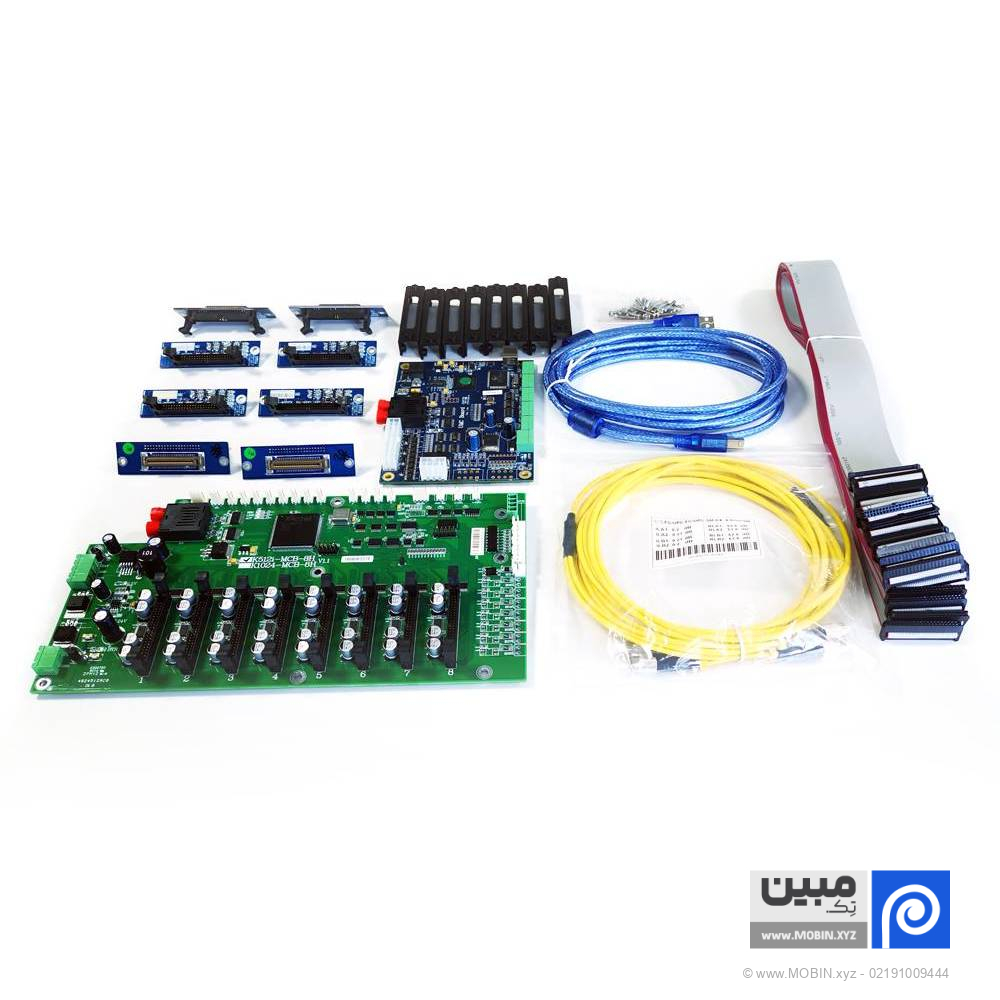
Konica 512i banner machine board (main board and draft board) UMC brand
In Banner printing machineIndustrial heads such as Konica 512i They play a key role in producing fast, high-quality prints. But the electronic heart of these systems is nothing more than Konica 512i banner machine board which manages the entire printing operation. If your machine uses the UMC brand, this article is exactly what you need to read!
Related products


Special sale!


Description
📅 Content updated on: 18/03/1405
What is the Konica 512i banner machine board?
Konica 512i banner machine board set of Mainboard and Carriage Board It is a board that controls the operation of Konica heads with high precision. These boards are specially Konica Minolta 512i head Designed to revolutionize industrial printing with high speed and unparalleled stability.
Main components of the Konica 512i banner machine board
1. UMC mainboard for Konica head
The main control center for all device components
Communication with RIP software, drivers, ink pump and fans
Control head temperature, voltage, print speed and ink spray volume
Fully compatible with Konica 512i heads in 30PL and 42PL versions
2. Craig Brad UMC
Mounted on a printing carriage or carriage
Its main function is to control the pulse and precise command of the Konica head.
Direct connection to the mine board
Newer models are equipped with a heating system and additional protection to extend the life of the head.
Advantages of the UMC board for Konica 512i banner devices
✅ 100% compatible with Konica 512i heads
✅ Durability in long and industrial prints
✅ Quick and easy installation with standard ports
✅ Strong software support with most RIPs such as Maintop and Photoprint
✅ Easy replacement of individual parts (main board or chassis board)
Symptoms of a Konica 512i banner machine board failure
❌ Incomplete printing or incorrect ink spraying
❌ Inability to recognize the head by the device
❌ Head voltage or temperature error
❌ Being silent Fan Or a head warmer.
❌ Disconnect from computer or display
Pro Tip: In many cases, problems appear to be head-related, but the real source of the failure is Konica 512i banner machine board It is!
The difference between the Zar 128 and Konica 512i in banner printing machines
| Case for comparison | Bard Zar 128 | Konica 512i board |
|---|---|---|
| Head type | Older 128 Zar | Konica 512i is more industrial and faster |
| Stability at high volume | Medium | Very high |
| Printing speed | Lower | Top |
| Spraying accuracy | Good | Excellent |
| Head sensitivity | More | Less (more resistant) |
| Board type | Simpler | More complex with more precise control |
| Working voltage | Less | Higher voltage and requires more precise control |
Important points when buying a Konica 512i banner machine board
🔹 Be sure to specify the head type (30 picoliter or 42 picoliter)
🔹 The UMC brand is one of the most well-known; get original and supported models.
🔹 Match the device firmware to the board (some versions are incompatible)
🔹 Check the wiring of the cage, sensors, and fan head power before installation.
🔹 Be sure to ask the supplier for an installation diagram or wiring guide.
Conclusion
Konica 512i banner machine board It is considered one of the most important components of an industrial printing system, as all commands, from ink spraying to head temperature adjustment, are carried out through this component. If Konica 512i head Installed on your device, be sure to use high-quality UMC brand boards to ensure print quality, performance speed, and head longevity.
Additional information
| Type | Set win, draft win, main win |
|---|
Reviews (0)

Get price list
Related products
Special sale!
