




Types of control cards
- HD-C1 Control Card
- HD-C3 control card
- HD-A41 control card
- HD-A40 control card
- HD-Q41 control card
- HD-U40 control card
- TF-S5U control card
- TF-C3U control card
- TF-A5U control card
- XIXUN – M20 control card
- XIXUN – M10 control card
- TF-M3U control card
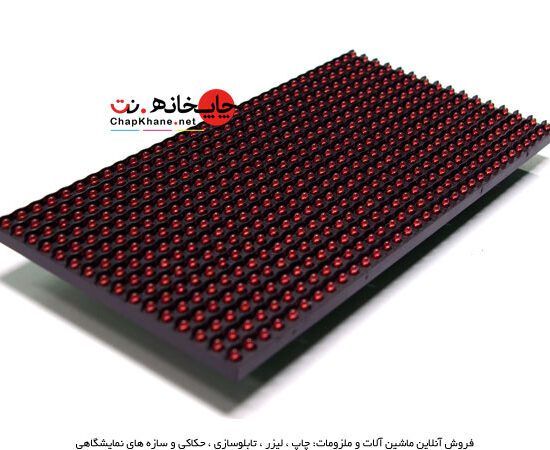


Description
📅 Content updated on: 10/02/1403
HD-C1 Control Card
| Spectrum control boards HD | |||||||||||||
| Row | Mother's name was taken. | Number of supported pixels | Information entry point | Flash memory support | Number of channels | Color spectrum | Internal memory MB | Input voltage | Support for temperature and humidity sensors | Settings app | Implementation plan | Supported module type | Supported formats |
| 1 | C1 | 128*384 | LAN-RJ45 | Yes | 8 | Yes | 500 | 5 volts | Yes | LED ART | LED ART | All modules | Most image files |
| 2 | C3 | 256*384 | LAN-RJ45-GPRS-3G | Yes | 16 | Yes | 500 | 5 volts | Yes | LED ART | LED ART | All modules | Most image files |
The controller card can be considered the brain of the display. The display module, whether it is a single-color module, a three-color module, or a full-color module, whether it is outdoor or indoor, is ineffective without the control card.
Controller cards are divided into different groups based on the type of control panel module, light control, how to receive commands, and how to connect to the computer.
Types Controller card based on light controller method
- Simple
- Spectral
Types Controller card based on module type
- Single color and three colors
- Full color or all colors
Types Controller card based on command type
- Simultaneously with the computer reading information online from the computer.
- Asynchronous with a computer that stores information in its memory and then plays it back.
Connection types Controller card
- Connection with COM or RS232 port
- Connecting with a flash drive
- Connecting with a network or LAN cable
- Wireless connection
- Connection via GPRS or 3G SIM card
Most control cards have 3 main ports.
- A gateway for entering information from a computer, the types of which were mentioned above.
- 5V power input port, usually supplied by switching power.
- The output port or HUB that delivers information to the control panel module.
Types HUB Controller cards
Each control panel module has a specific standard for receiving information based on its type, which is categorized into HUB types. The types of HUBs specific to the control panel module are in one of the following 4 main categories.
- HUB 08
- HUB 12
- HUB 40
- HUB75
General information about working with the Rawan switchboard controller card:
Before you begin installing the controller card, make sure that the controller card:
- The Rouhan board module supports you.
- The number of pixels in the length and width of the board supports smooth movement.
- The number of rows your flow chart module supports.
- A sufficient number of power switching devices are used in your control panel.
- The appropriate HUB has been selected for the operation of your control panel module.
- The input power is connected correctly.
- The connection of the control panel modules to the HUB is correct.
- Throughout the entire circuit of the switchboard, there were no errors in the power supply and installation of flat cables.
After placing the controller card in the control panel, first connect its input power directly from the output of one of the power switches. From the output HUB, based on the module row number from above, connect the control panel modules to the HUB using a flat cable.
This means that the first row of the panel from the top should be connected to output 1, the second row to output 2, the third row to output 3, and so on on the HUB.
The codes drawn on the 16 pins of the HUB output and the input of the panel module help you identify the correct direction of the flat cable.
Then, depending on the connection type, connect the card to the computer and transfer the information to the controller card using a special program.
HD-C3 control card
| Spectrum control boards HD | |||||||||||||
| Row | Mother's name was taken. | Number of supported pixels | Information entry point | Flash memory support | Number of channels | Color spectrum | Internal memory MB | Input voltage | Support for temperature and humidity sensors | Settings app | Implementation plan | Supported module type | Supported formats |
| 1 | C1 | 128*384 | LAN-RJ45 | Yes | 8 | Yes | 500 | 5 volts | Yes | LED ART | LED ART | All modules | Most image files |
| 2 | C3 | 256*384 | LAN-RJ45-GPRS-3G | Yes | 16 | Yes | 500 | 5 volts | Yes | LED ART | LED ART | All modules | Most image files |
The controller card can be considered the brain of the display. The display module, whether it is a single-color module, a three-color module, or a full-color module, whether it is outdoor or indoor, is ineffective without the control card.
Controller cards are divided into different groups based on the type of control panel module, light control, how to receive commands, and how to connect to the computer.
Types Controller card based on light controller method
- Simple
- Spectral
Types Controller card based on module type
- Single color and three colors
- Full color or all colors
Types Controller card based on command type
- Simultaneously with the computer reading information online from the computer.
- Asynchronous with a computer that stores information in its memory and then plays it back.
Connection types Controller card
- Connection with COM or RS232 port
- Connecting with a flash drive
- Connecting with a network or LAN cable
- Wireless connection
- Connection via GPRS or 3G SIM card
Most control cards have 3 main ports.
- A gateway for entering information from a computer, the types of which were mentioned above.
- 5V power input port, usually supplied by switching power.
- The output port or HUB that delivers information to the control panel module.
Types HUB Controller cards
Each control panel module has a specific standard for receiving information based on its type, which is categorized into HUB types. The types of HUBs specific to the control panel module are in one of the following 4 main categories.
- HUB 08
- HUB 12
- HUB 40
- HUB75
General information about working with the Rawan switchboard controller card:
Before you begin installing the controller card, make sure that the controller card:
- The Rouhan board module supports you.
- The number of pixels in the length and width of the board supports smooth movement.
- The number of rows your flow chart module supports.
- A sufficient number of power switching devices are used in your control panel.
- The appropriate HUB has been selected for the operation of your control panel module.
- The input power is connected correctly.
- The connection of the control panel modules to the HUB is correct.
- Throughout the entire circuit of the switchboard, there were no errors in the power supply and installation of flat cables.
After placing the controller card in the control panel, first connect its input power directly from the output of one of the power switches. From the output HUB, based on the module row number from above, connect the control panel modules to the HUB using a flat cable.
This means that the first row of the panel from the top should be connected to output 1, the second row to output 2, the third row to output 3, and so on on the HUB.
The codes drawn on the 16 pins of the HUB output and the input of the panel module help you identify the correct direction of the flat cable.
Then, depending on the connection type, connect the card to the computer and transfer the information to the controller card using a special program.
HD-A41 control card
| Control boards HD | ||||||||||||||
| Row | Mother's name was taken. | Number of pixels in monochrome mode | Number of pixels in two-color mode | Port support RS232 | Flash memory support | Number of channels | Color spectrum | Internal memory MB | Input voltage | Support for temperature and humidity sensors | Settings app | Implementation plan | Module diversity | Supported formats |
| 1 | HD-A40 | 32*768 | 32*512 | No | Yes | 2 | No | 2 MB | 5 volts | Yes | HD2014 | HD2014 | Single color - two colors | JPEG-GIF-PNG-BMP |
| 2 | HD-A41 | 32*1024 | 32*512 | Yes | Yes | 2 | No | 2 MB | 5 volts | Yes | HD2014 | HD2014 | Single color - two colors | JPEG-GIF-PNG-BMP |
| 3 | HD-Q40 | 64*512 | 64*256 | No | Yes | 4 | No | 8 MB | 5 volts | Yes | HD2014 | HD2014 | Single color - two colors | JPEG-GIF-PNG-BMP |
| 4 | HD-Q41 | 64*768 | 64*384 | Yes | Yes | 4 | No | 8 MB | 5 volts | Yes | HD2014 | HD2014 | Single color - two colors | JPEG-GIF-PNG-BMP |
| 5 | HD-U40 | 128*1024 | 128*512 | No | Yes | 8 | No | 8 MB | 5 volts | Yes | HD2014 | HD2014 | Single color - two colors | JPEG-GIF-PNG-BMP |
The controller card can be considered as the brain of the display. The display module, whether it is a single-color module, a three-color module or a full-color module, whether it is outdoor or indoor, is ineffective without the control card. The controller cards are divided into different groups based on the type of display module, light control, how to receive commands and how to connect to the computer.
Types of controller cards based on how they control light
- Simple
- Spectral
Types of controller cards based on module type
- Single color and three colors
- Full color or all colors
Types of controller cards based on command type
- Simultaneously with the computer reading information online from the computer.
- Asynchronous with a computer that stores information in its memory and then plays it back.
Controller card connection types
- Connection with COM or RS232 port
- Connecting with a flash drive
- Connecting with a network or LAN cable
- Wireless connection
- Connection via GPRS or 3G SIM card
Most control cards have 3 main ports.
- A gateway for entering information from a computer, the types of which were mentioned above.
- 5V power input port, usually supplied by switching power.
- The output port or HUB that delivers information to the control panel module.
Types of HUB controller cards
Each control panel module has a specific standard for receiving information based on its type, which is categorized into HUB types. The types of HUBs specific to the control panel module are in one of the following 4 main categories.
- HUB 08
- HUB 12
- HUB 40
- HUB75
Before you begin installing the controller card, make sure that the controller card:
- The Rouhan board module supports you.
- The number of pixels in the length and width of the board supports smooth movement.
- The number of rows your flow chart module supports.
- A sufficient number of power switching devices are used in your control panel.
- The appropriate HUB has been selected for the operation of your control panel module.
- The input power is connected correctly.
- The connection of the control panel modules to the HUB is correct.
- Throughout the entire circuit of the switchboard, there were no errors in the power supply and installation of flat cables.
After placing the controller card in the control panel, first connect its input power directly from the output of one of the power switches. From the output HUB, based on the module row number from above, connect the control panel modules to the HUB using a flat cable.
This means that the first row of the panel from the top should be connected to output 1, the second row to output 2, the third row to output 3, and so on on the HUB.
The codes drawn on the 16 pins of the HUB output and the input of the panel module help you identify the correct direction of the flat cable.
Then, depending on the connection type, connect the card to the computer and transfer the information to the controller card using a special program.
HD-A40 control card
| Control boards HD | ||||||||||||||
| Row | Mother's name was taken. | Number of pixels in monochrome mode | Number of pixels in two-color mode | Port support RS232 | Flash memory support | Number of channels | Color spectrum | Internal memory MB | Input voltage | Support for temperature and humidity sensors | Settings app | Implementation plan | Module diversity | Supported formats |
| 1 | HD-A40 | 32*768 | 32*512 | No | Yes | 2 | No | 2 MB | 5 volts | Yes | HD2014 | HD2014 | Single color - two colors | JPEG-GIF-PNG-BMP |
| 2 | HD-A41 | 32*1024 | 32*512 | Yes | Yes | 2 | No | 2 MB | 5 volts | Yes | HD2014 | HD2014 | Single color - two colors | JPEG-GIF-PNG-BMP |
| 3 | HD-Q40 | 64*512 | 64*256 | No | Yes | 4 | No | 8 MB | 5 volts | Yes | HD2014 | HD2014 | Single color - two colors | JPEG-GIF-PNG-BMP |
| 4 | HD-Q41 | 64*768 | 64*384 | Yes | Yes | 4 | No | 8 MB | 5 volts | Yes | HD2014 | HD2014 | Single color - two colors | JPEG-GIF-PNG-BMP |
| 5 | HD-U40 | 128*1024 | 128*512 | No | Yes | 8 | No | 8 MB | 5 volts | Yes | HD2014 | HD2014 | Single color - two colors | JPEG-GIF-PNG-BMP |
The controller card can be considered the brain of the display. The display module, whether it is a single-color module, a three-color module, or a full-color module, whether it is outdoor or indoor, is ineffective without the control card.
Controller cards are divided into different groups based on the type of control panel module, light control, how to receive commands, and how to connect to the computer.
Types Controller card based on light controller method
- Simple
- Spectral
Types Controller card based on module type
- Single color and three colors
- Full color or all colors
Types Controller card based on command type
- Simultaneously with the computer reading information online from the computer.
- Asynchronous with a computer that stores information in its memory and then plays it back.
Connection types Controller card
- Connection with COM or RS232 port
- Connecting with a flash drive
- Connecting with a network or LAN cable
- Wireless connection
- Connection via GPRS or 3G SIM card
Most control cards have 3 main ports.
- A gateway for entering information from a computer, the types of which were mentioned above.
- 5V power input port, usually supplied by switching power.
- The output port or HUB that delivers information to the control panel module.
Types HUB Controller cards
Each control panel module has a specific standard for receiving information based on its type, which is categorized into HUB types. The types of HUBs specific to the control panel module are in one of the following 4 main categories.
- HUB 08
- HUB 12
- HUB 40
- HUB75
General information about working with the Rawan switchboard controller card:
Before you begin installing the controller card, make sure that the controller card:
- The Rouhan board module supports you.
- The number of pixels in the length and width of the board supports smooth movement.
- The number of rows your flow chart module supports.
- A sufficient number of power switching devices are used in your control panel.
- The appropriate HUB has been selected for the operation of your control panel module.
- The input power is connected correctly.
- The connection of the control panel modules to the HUB is correct.
- Throughout the entire circuit of the switchboard, there were no errors in the power supply and installation of flat cables.
After placing the controller card in the control panel, first connect its input power directly from the output of one of the power switches. From the output HUB, based on the module row number from above, connect the control panel modules to the HUB using a flat cable.
This means that the first row of the panel from the top should be connected to output 1, the second row to output 2, the third row to output 3, and so on on the HUB.
The codes drawn on the 16 pins of the HUB output and the input of the panel module help you identify the correct direction of the flat cable.
Then, depending on the connection type, connect the card to the computer and transfer the information to the controller card using a special program.
HD-Q41 control card
| Control boards HD | ||||||||||||||
| Row | Mother's name was taken. | Number of pixels in monochrome mode | Number of pixels in two-color mode | Port support RS232 | Flash memory support | Number of channels | Color spectrum | Internal memory MB | Input voltage | Support for temperature and humidity sensors | Settings app | Implementation plan | Module diversity | Supported formats |
| 1 | HD-A40 | 32*768 | 32*512 | No | Yes | 2 | No | 2 MB | 5 volts | Yes | HD2014 | HD2014 | Single color - two colors | JPEG-GIF-PNG-BMP |
| 2 | HD-A41 | 32*1024 | 32*512 | Yes | Yes | 2 | No | 2 MB | 5 volts | Yes | HD2014 | HD2014 | Single color - two colors | JPEG-GIF-PNG-BMP |
| 3 | HD-Q40 | 64*512 | 64*256 | No | Yes | 4 | No | 8 MB | 5 volts | Yes | HD2014 | HD2014 | Single color - two colors | JPEG-GIF-PNG-BMP |
| 4 | HD-Q41 | 64*768 | 64*384 | Yes | Yes | 4 | No | 8 MB | 5 volts | Yes | HD2014 | HD2014 | Single color - two colors | JPEG-GIF-PNG-BMP |
| 5 | HD-U40 | 128*1024 | 128*512 | No | Yes | 8 | No | 8 MB | 5 volts | Yes | HD2014 | HD2014 | Single color - two colors | JPEG-GIF-PNG-BMP |
The controller card can be considered the brain of the display. The display module, whether it is a single-color module, a three-color module, or a full-color module, whether it is outdoor or indoor, is ineffective without the control card.
Controller cards are divided into different groups based on the type of control panel module, light control, how to receive commands, and how to connect to the computer.
Types Controller card based on light controller method
- Simple
- Spectral
Types Controller card based on module type
- Single color and three colors
- Full color or all colors
Types Controller card based on command type
- Simultaneously with the computer reading information online from the computer.
- Asynchronous with a computer that stores information in its memory and then plays it back.
Connection types Controller card
- Connection with COM or RS232 port
- Connecting with a flash drive
- Connecting with a network or LAN cable
- Wireless connection
- Connection via GPRS or 3G SIM card
Most control cards have 3 main ports.
- A gateway for entering information from a computer, the types of which were mentioned above.
- 5V power input port, usually supplied by switching power.
- The output port or HUB that delivers information to the control panel module.
Types HUB Controller cards
Each control panel module has a specific standard for receiving information based on its type, which is categorized into HUB types. The types of HUBs specific to the control panel module are in one of the following 4 main categories.
- HUB 08
- HUB 12
- HUB 40
- HUB75
General information about working with the Rawan switchboard controller card:
Before you begin installing the controller card, make sure that the controller card:
- The Rouhan board module supports you.
- The number of pixels in the length and width of the board supports smooth movement.
- The number of rows your flow chart module supports.
- A sufficient number of power switching devices are used in your control panel.
- The appropriate HUB has been selected for the operation of your control panel module.
- The input power is connected correctly.
- The connection of the control panel modules to the HUB is correct.
- Throughout the entire circuit of the switchboard, there were no errors in the power supply and installation of flat cables.
After placing the controller card in the control panel, first connect its input power directly from the output of one of the power switches. From the output HUB, based on the module row number from above, connect the control panel modules to the HUB using a flat cable.
This means that the first row of the panel from the top should be connected to output 1, the second row to output 2, the third row to output 3, and so on on the HUB.
The codes drawn on the 16 pins of the HUB output and the input of the panel module help you identify the correct direction of the flat cable.
Then, depending on the connection type, connect the card to the computer and transfer the information to the controller card using a special program.
HD-U40 control card
| Control boards HD | ||||||||||||||
| Row | Mother's name was taken. | Number of pixels in monochrome mode | Number of pixels in two-color mode | Port support RS232 | Flash memory support | Number of channels | Color spectrum | Internal memory MB | Input voltage | Support for temperature and humidity sensors | Settings app | Implementation plan | Module diversity | Supported formats |
| 1 | HD-A40 | 32*768 | 32*512 | No | Yes | 2 | No | 2 MB | 5 volts | Yes | HD2014 | HD2014 | Single color - two colors | JPEG-GIF-PNG-BMP |
| 2 | HD-A41 | 32*1024 | 32*512 | Yes | Yes | 2 | No | 2 MB | 5 volts | Yes | HD2014 | HD2014 | Single color - two colors | JPEG-GIF-PNG-BMP |
| 3 | HD-Q40 | 64*512 | 64*256 | No | Yes | 4 | No | 8 MB | 5 volts | Yes | HD2014 | HD2014 | Single color - two colors | JPEG-GIF-PNG-BMP |
| 4 | HD-Q41 | 64*768 | 64*384 | Yes | Yes | 4 | No | 8 MB | 5 volts | Yes | HD2014 | HD2014 | Single color - two colors | JPEG-GIF-PNG-BMP |
| 5 | HD-U40 | 128*1024 | 128*512 | No | Yes | 8 | No | 8 MB | 5 volts | Yes | HD2014 | HD2014 | Single color - two colors | JPEG-GIF-PNG-BMP |
The controller card can be considered the brain of the display. The display module, whether it is a single-color module, a three-color module, or a full-color module, whether it is outdoor or indoor, is ineffective without the control card.
Controller cards are divided into different groups based on the type of control panel module, light control, how to receive commands, and how to connect to the computer.
Types Controller card based on light controller method
- Simple
- Spectral
Types Controller card based on module type
- Single color and three colors
- Full color or all colors
Types Controller card based on command type
- Simultaneously with the computer reading information online from the computer.
- Asynchronous with a computer that stores information in its memory and then plays it back.
Connection types Controller card
- Connection with COM or RS232 port
- Connecting with a flash drive
- Connecting with a network or LAN cable
- Wireless connection
- Connection via GPRS or 3G SIM card
Most control cards have 3 main ports.
- A gateway for entering information from a computer, the types of which were mentioned above.
- 5V power input port, usually supplied by switching power.
- The output port or HUB that delivers information to the control panel module.
Types HUB Controller cards
Each control panel module has a specific standard for receiving information based on its type, which is categorized into HUB types. The types of HUBs specific to the control panel module are in one of the following 4 main categories.
- HUB 08
- HUB 12
- HUB 40
- HUB75
General information about working with the Rawan switchboard controller card:
Before you begin installing the controller card, make sure that the controller card:
- The Rouhan board module supports you.
- The number of pixels in the length and width of the board supports smooth movement.
- The number of rows your flow chart module supports.
- A sufficient number of power switching devices are used in your control panel.
- The appropriate HUB has been selected for the operation of your control panel module.
- The input power is connected correctly.
- The connection of the control panel modules to the HUB is correct.
- Throughout the entire circuit of the switchboard, there were no errors in the power supply and installation of flat cables.
After placing the controller card in the control panel, first connect its input power directly from the output of one of the power switches. From the output HUB, based on the module row number from above, connect the control panel modules to the HUB using a flat cable.
This means that the first row of the panel from the top should be connected to output 1, the second row to output 2, the third row to output 3, and so on on the HUB.
The codes drawn on the 16 pins of the HUB output and the input of the panel module help you identify the correct direction of the flat cable.
Then, depending on the connection type, connect the card to the computer and transfer the information to the controller card using a special program.
TF-S5U control card
| TF control boards | ||||||||||||||
| Row | Mother's name was taken. | Number of pixels in monochrome mode | Number of pixels in monochrome mode | RS232 port support | Flash memory support | Number of channels | Color spectrum | Internal memory MB | Input voltage | Support for temperature and humidity sensors | Settings app | Implementation plan | Supported module type | Supported formats |
| 1 | TF-S5U | 1280×16; 640×32 | 640×16; 320×32 | No | Yes | 2 | No | 2 MB | 5 volts | Yes | POWER LED | POWER LED | Single color - two colors - seven colors | JPEG-GIF-PNG-BMP |
| 2 | TF-A5U | 832×32; 416×64 | 416×32; 208×64 | No | Yes | 4 | No | 8 MB | 5 volts | Yes | POWER LED | POWER LED | Single color - two colors - seven colors | JPEG-GIF-PNG-BMP |
| 3 | TF-M3U | 1024×64; 512×128 | 512×64; 256×128 | No | Yes | 8 | No | 8 MB | 5 volts | Yes | POWER LED | POWER LED | Single color - two colors - seven colors | JPEG-GIF-PNG-BMP |
| 4 | TF-C3U | 2048×64; 1024×128 | 1024×64; 512×128 | No | Yes | 8 | Yes | 8 MB | 5 volts | Yes | POWER LED | POWER LED | Single color - two colors - full color | JPEG-GIF-PNG-BMP |
TF-C3U control card
| TF control boards | ||||||||||||||
| Row | Mother's name was taken. | Number of pixels in monochrome mode | Number of pixels in monochrome mode | RS232 port support | Flash memory support | Number of channels | Color spectrum | Internal memory MB | Input voltage | Support for temperature and humidity sensors | Settings app | Implementation plan | Supported module type | Supported formats |
| 1 | TF-S5U | 1280×16; 640×32 | 640×16; 320×32 | No | Yes | 2 | No | 2 MB | 5 volts | Yes | POWER LED | POWER LED | Single color - two colors - seven colors | JPEG-GIF-PNG-BMP |
| 2 | TF-A5U | 832×32; 416×64 | 416×32; 208×64 | No | Yes | 4 | No | 8 MB | 5 volts | Yes | POWER LED | POWER LED | Single color - two colors - seven colors | JPEG-GIF-PNG-BMP |
| 3 | TF-M3U | 1024×64; 512×128 | 512×64; 256×128 | No | Yes | 8 | No | 8 MB | 5 volts | Yes | POWER LED | POWER LED | Single color - two colors - seven colors | JPEG-GIF-PNG-BMP |
| 4 | TF-C3U | 2048×64; 1024×128 | 1024×64; 512×128 | No | Yes | 8 | Yes | 8 MB | 5 volts | Yes | POWER LED | POWER LED | Single color - two colors - full color | JPEG-GIF-PNG-BMP |
TF-A5U control card
| TF control boards | ||||||||||||||
| Row | Mother's name was taken. | Number of pixels in monochrome mode | Number of pixels in monochrome mode | RS232 port support | Flash memory support | Number of channels | Color spectrum | Internal memory MB | Input voltage | Support for temperature and humidity sensors | Settings app | Implementation plan | Supported module type | Supported formats |
| 1 | TF-S5U | 1280×16; 640×32 | 640×16; 320×32 | No | Yes | 2 | No | 2 MB | 5 volts | Yes | POWER LED | POWER LED | Single color - two colors - seven colors | JPEG-GIF-PNG-BMP |
| 2 | TF-A5U | 832×32; 416×64 | 416×32; 208×64 | No | Yes | 4 | No | 8 MB | 5 volts | Yes | POWER LED | POWER LED | Single color - two colors - seven colors | JPEG-GIF-PNG-BMP |
| 3 | TF-M3U | 1024×64; 512×128 | 512×64; 256×128 | No | Yes | 8 | No | 8 MB | 5 volts | Yes | POWER LED | POWER LED | Single color - two colors - seven colors | JPEG-GIF-PNG-BMP |
| 4 | TF-C3U | 2048×64; 1024×128 | 1024×64; 512×128 | No | Yes | 8 | Yes | 8 MB | 5 volts | Yes | POWER LED | POWER LED | Single color - two colors - full color | JPEG-GIF-PNG-BM |
XIXUN – M20 control card
| Control boards XIXUN | ||||||||||||||
| Row | Mother's name was taken. | Number of pixels in single mode HUB | Number of pixels in dual mode HUB | Information entry point | Flash memory support | Number of channels | Color spectrum | Internal memory MB | Input voltage | Support for temperature and humidity sensors | Settings app | Implementation plan | Supported module type | Supported formats |
| 1 | M10 | 1024*512 | 4000*128 | LAN-RJ45 | No | HUB function | Yes | 500 | 5 volts | Yes | LED SET | LED Editor | Single color - two colors | Most image files |
| 2 | M20 | 320*128 | No | LAN-RJ45-GPRS-3G | No | _ | Yes | 500 | 5 volts | Yes | LED SET | LED Editor | All modules | Most image files |
The controller card can be considered the brain of the display. The display module, whether it is a single-color module, a three-color module, or a full-color module, whether it is outdoor or indoor, is ineffective without the control card.
Controller cards are divided into different groups based on the type of control panel module, light control, how to receive commands, and how to connect to the computer.
Types Controller card based on light controller method
- Simple
- Spectral
Types Controller card based on module type
- Single color and three colors
- Full color or all colors
Types Controller card based on command type
- Simultaneously with the computer reading information online from the computer.
- Asynchronous with a computer that stores information in its memory and then plays it back.
Connection types Controller card
- Connection with COM or RS232 port
- Connecting with a flash drive
- Connecting with a network or LAN cable
- Wireless connection
- Connection via GPRS or 3G SIM card
Most control cards have 3 main ports.
- A gateway for entering information from a computer, the types of which were mentioned above.
- 5V power input port, usually supplied by switching power.
- The output port or HUB that delivers information to the control panel module.
Types HUB Controller cards
Each control panel module has a specific standard for receiving information based on its type, which is categorized into HUB types. The types of HUBs specific to the control panel module are in one of the following 4 main categories.
- HUB 08
- HUB 12
- HUB 40
- HUB75
General information about working with the Rawan switchboard controller card:
Before you begin installing the controller card, make sure that the controller card:
- The Rouhan board module supports you.
- The number of pixels in the length and width of the board supports smooth movement.
- The number of rows your flow chart module supports.
- A sufficient number of power switching devices are used in your control panel.
- The appropriate HUB has been selected for the operation of your control panel module.
- The input power is connected correctly.
- The connection of the control panel modules to the HUB is correct.
- Throughout the entire circuit of the switchboard, there were no errors in the power supply and installation of flat cables.
After placing the controller card in the control panel, first connect its input power directly from the output of one of the power switches. From the output HUB, based on the module row number from above, connect the control panel modules to the HUB using a flat cable.
This means that the first row of the panel from the top should be connected to output 1, the second row to output 2, the third row to output 3, and so on on the HUB.
The codes drawn on the 16 pins of the HUB output and the input of the panel module help you identify the correct direction of the flat cable.
Then, depending on the connection type, connect the card to the computer and transfer the information to the controller card using a special program.
XIXUN – M10 control card
| Control boards XIXUN | ||||||||||||||
| Row | Mother's name was taken. | Number of pixels in single mode HUB | Number of pixels in dual mode HUB | Information entry point | Flash memory support | Number of channels | Color spectrum | Internal memory MB | Input voltage | Support for temperature and humidity sensors | Settings app | Implementation plan | Supported module type | Supported formats |
| 1 | M10 | 1024*512 | 4000*128 | LAN-RJ45 | No | HUB function | Yes | 500 | 5 volts | Yes | LED SET | LED Editor | Single color - two colors | Most image files |
| 2 | M20 | 320*128 | No | LAN-RJ45-GPRS-3G | No | _ | Yes | 500 | 5 volts | Yes | LED SET | LED Editor | All modules | Most image files |
The controller card can be considered the brain of the display. The display module, whether it is a single-color module, a three-color module, or a full-color module, whether it is outdoor or indoor, is ineffective without the control card.
Controller cards are divided into different groups based on the type of control panel module, light control, how to receive commands, and how to connect to the computer.
Types Controller card based on light controller method
- Simple
- Spectral
Types Controller card based on module type
- Single color and three colors
- Full color or all colors
Types Controller card based on command type
- Simultaneously with the computer reading information online from the computer.
- Asynchronous with a computer that stores information in its memory and then plays it back.
Connection types Controller card
- Connection with COM or RS232 port
- Connecting with a flash drive
- Connecting with a network or LAN cable
- Wireless connection
- Connection via GPRS or 3G SIM card
Most control cards have 3 main ports.
- A gateway for entering information from a computer, the types of which were mentioned above.
- 5V power input port, usually supplied by switching power.
- The output port or HUB that delivers information to the control panel module.
Types HUB Controller cards
Each control panel module has a specific standard for receiving information based on its type, which is categorized into HUB types. The types of HUBs specific to the control panel module are in one of the following 4 main categories.
- HUB 08
- HUB 12
- HUB 40
- HUB75
General information about working with the Rawan switchboard controller card:
Before you begin installing the controller card, make sure that the controller card:
- The Rouhan board module supports you.
- The number of pixels in the length and width of the board supports smooth movement.
- The number of rows your flow chart module supports.
- A sufficient number of power switching devices are used in your control panel.
- The appropriate HUB has been selected for the operation of your control panel module.
- The input power is connected correctly.
- The connection of the control panel modules to the HUB is correct.
- Throughout the entire circuit of the switchboard, there were no errors in the power supply and installation of flat cables.
After placing the controller card in the control panel, first connect its input power directly from the output of one of the power switches. From the output HUB, based on the module row number from above, connect the control panel modules to the HUB using a flat cable.
This means that the first row of the panel from the top should be connected to output 1, the second row to output 2, the third row to output 3, and so on on the HUB.
The codes drawn on the 16 pins of the HUB output and the input of the panel module help you identify the correct direction of the flat cable.
Then, depending on the connection type, connect the card to the computer and transfer the information to the controller card using a special program.
TF-M3U control card
| TF control boards | ||||||||||||||
| Row | Mother's name was taken. | Number of pixels in monochrome mode | Number of pixels in monochrome mode | RS232 port support | Flash memory support | Number of channels | Color spectrum | Internal memory MB | Input voltage | Support for temperature and humidity sensors | Settings app | Implementation plan | Supported module type | Supported formats |
| 1 | TF-S5U | 1280×16; 640×32 | 640×16; 320×32 | No | Yes | 2 | No | 2 MB | 5 volts | Yes | POWER LED | POWER LED | Single color - two colors - seven colors | JPEG-GIF-PNG-BMP |
| 2 | TF-A5U | 832×32; 416×64 | 416×32; 208×64 | No | Yes | 4 | No | 8 MB | 5 volts | Yes | POWER LED | POWER LED | Single color - two colors - seven colors | JPEG-GIF-PNG-BMP |
| 3 | TF-M3U | 1024×64; 512×128 | 512×64; 256×128 | No | Yes | 8 | No | 8 MB | 5 volts | Yes | POWER LED | POWER LED | Single color - two colors - seven colors | JPEG-GIF-PNG-BMP |
| 4 | TF-C3U | 2048×64; 1024×128 | 1024×64; 512×128 | No | Yes | 8 | Yes | 8 MB | 5 volts | Yes | POWER LED | POWER LED | Single color - two colors - full color | JPEG-GIF-PNG-BMP |
Reviews (0)

Get price list
